

My Hamster
A playful interactive website featuring cute characters and mini-games about food, happiness, friendship, and daily activities.
by ZHANG Jialin
Description
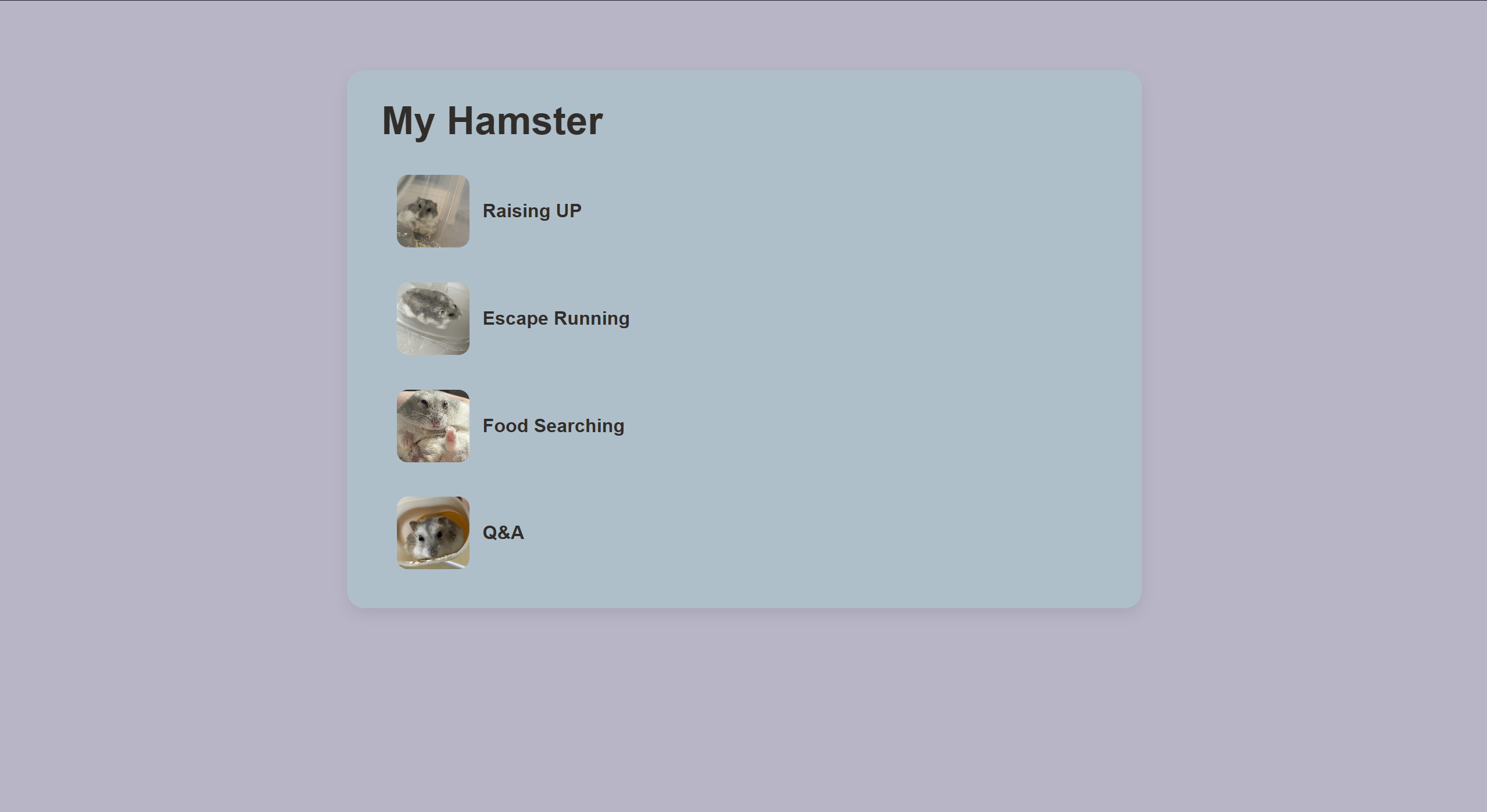
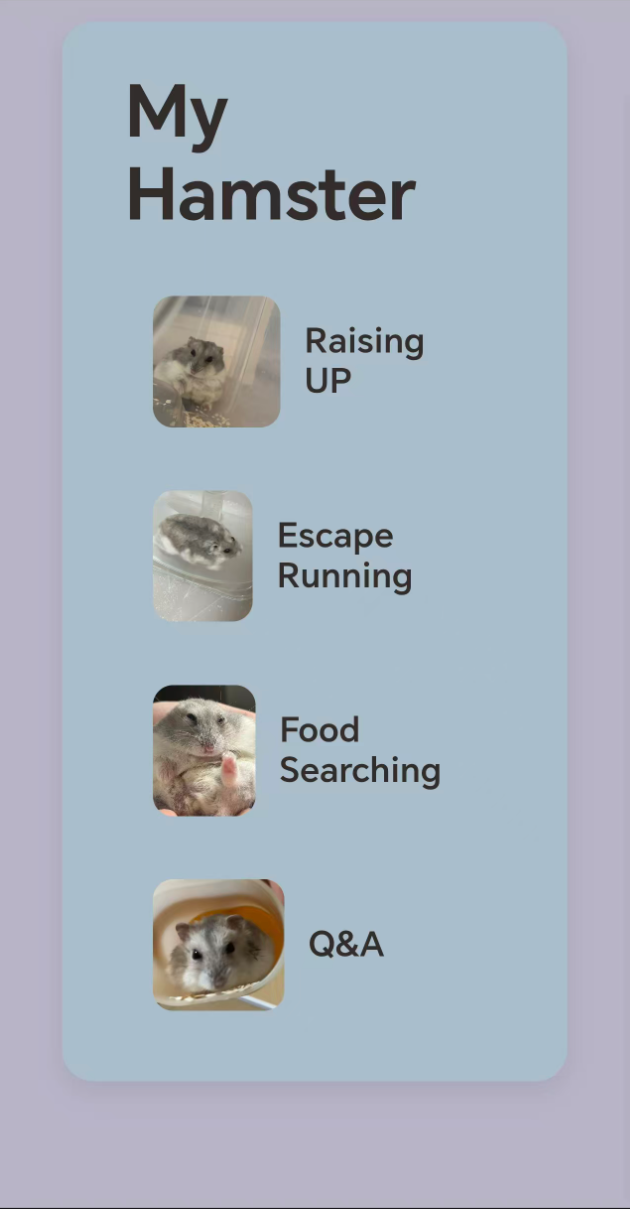
What It Is “My Hamster” is a simple, engaging, and visually friendly educational website that introduces users to different aspects of hamster care, behavior, and activities. The page features a warm, pastel-colored layout centered around a single main panel. A large “My Hamster” heading immediately identifies the website’s purpose, while a vertical navigation menu provides quick access to four themed sections: Raising UP — Covers information about caring for, raising, and maintaining a healthy hamster. Escape Running — Focuses on hamsters’ natural curiosity, energy, and running behavior. Food Searching — Likely explores feeding habits, favorite foods, and the process of finding or storing food. Q&A — Provides an interactive or informational question-and-answer section. Each navigation option includes a rectangular thumbnail image positioned beside the link text. The links lead to separate pages—raising_up.html, escape_running.html, food_searching.html, and qa_game.html—making the website easy to expand with additional educational content. The visual design uses a muted purple background, a soft blue main container, and dark brown text to create a calm, approachable appearance. Rounded corners, spacing, hover effects, and a subtle shadow give the page a polished interface without making it visually overwhelming. The navigation links also gain a light-gray pill-shaped background when hovered over or focused, helping users clearly see which item they are selecting. Who It Is For This website is designed primarily for children, new pet owners, students, families, and anyone interested in learning about hamsters in an easy and enjoyable way. The simple navigation makes it accessible to younger users, while the short descriptions and image-based buttons allow visitors to understand the available sections quickly. It is also suitable for classroom activities, introductory pet-care presentations, beginner animal-care projects, or small educational assignments. Because it does not require accounts, downloads, or complex interactions, it can be opened directly in a web browser by users of almost any technical ability. The structure is especially useful for people who prefer to explore information visually rather than reading through long blocks of text. Each category represents a separate subject area, allowing users to browse one topic at a time. How It Was Built The website was built using HTML5 and CSS within the main file, index.html. The HTML establishes the page structure, including the document metadata, page title, main content area, heading, navigation section, and individual links. CSS is included directly inside the HTML file’s <style> element. It controls every major visual element, including page dimensions, background colors, typography, container size, spacing, border radius, shadows, navigation layout, image presentation, and interactive link states. The layout uses flexible dimensions, such as rem units and max-width, so it can adjust to different screen sizes more effectively. Images are integrated into the navigation links through the <img> element. Each navigation item combines an image with descriptive text, creating a button-like interface that is both visually engaging and easy to recognize. The navigation area uses flexbox to arrange the links vertically and maintain consistent spacing. Accessibility features were included through a descriptive page title, a <main> landmark, an ARIA label for the navigation menu, and image alternative text attributes. The hover and keyboard-focus states provide clear visual feedback, supporting both mouse and keyboard users. Overall, the project was created as a lightweight, beginner-friendly website using only core front-end technologies—HTML and CSS. No frameworks, external libraries, or server-side systems are required, so the page is fast to load and easy to customize.
Desktop Homepage
Mobile Homepage
Open Graph Image
App Icon
Favicon